

Illuminate your voice notes.
Cleriq records your meetings on iPhone and raises only what matters, each line linked to the moment it was said.
How it works
Your meetings, illuminated.
Most notetakers hand back a wall of summary. Cleriq keeps every word and lights up only the lines that decide something.
-
Record in the room. Type notes while it runs, or upload a recording, PDF or Zoom or Teams transcript. No bot joins the call.
-
Every word, every voice. Each speaker is told apart. Name a voice once and Cleriq uses it throughout.
-
Only what matters lights up. Decisions, actions, open questions, risks and goals, never more than a fifth of the page. Tap one to hear it said.
-
Every action item, one list. Yours, unclaimed and follow-ups, from every meeting. Each links back to where it was said.
Recording, minimised: the meeting’s pill at the top counts up over the notes list. The bar at the bottom pauses and resumes it, then a tap on the pill opens the note and a line is typed while it records.
In the app
Made to be read at a glance.
-
Out of the way while you talk
The time, pause, end and discard sit in one small card, so nothing else needs you mid-meeting.
-
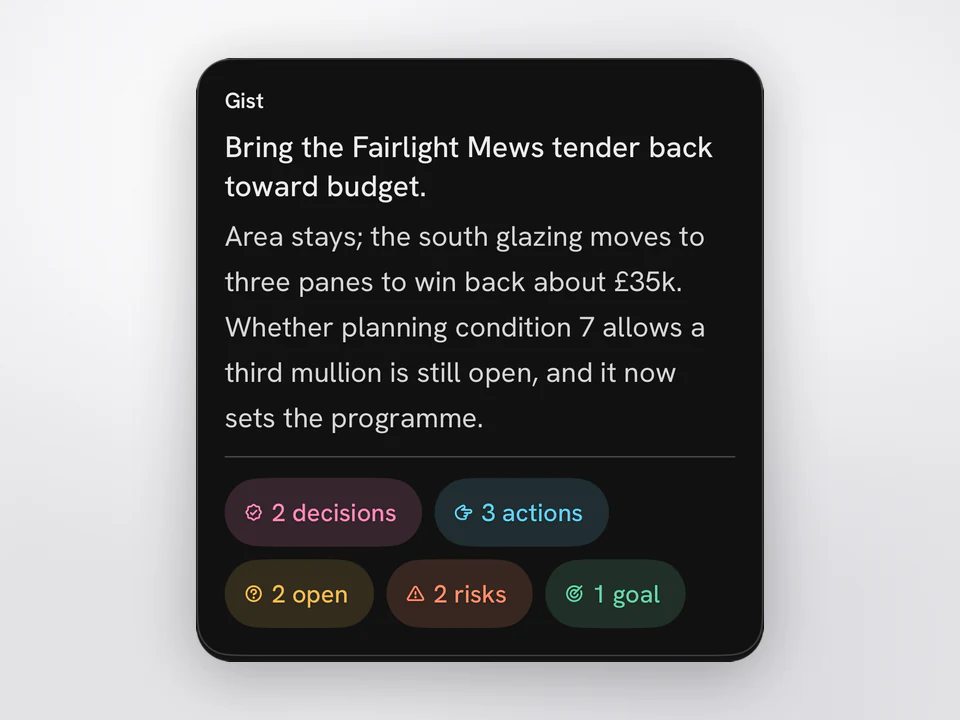
The gist, up top
What the meeting was for and where it landed, then a count of each kind. Tap a count to pick out every one.
-
Jump to what matters
Go straight to the next decision or risk without scrolling. Each kind has its own button.
Worth knowing
Where it comes from, and where it goes.
See where every highlight came from
Tap a lit line to see the exact words behind it and who said them, then hear the moment it was said.
Share a note as a link
It opens in any browser. The key stays in the link, so our server can’t read the note.
Where your meetings go
Transcribed by AssemblyAI and summarized by Anthropic’s Claude, never used for training. The note lives on your iPhone.
How meetings are handledIt’s being built right now
The iPhone beta opens on TestFlight in October.
Leave your email for a TestFlight invite and the occasional note on how it’s being made.
Needs an iPhone on iOS 26 or later. Every email has an unsubscribe link. How your email is handled.